





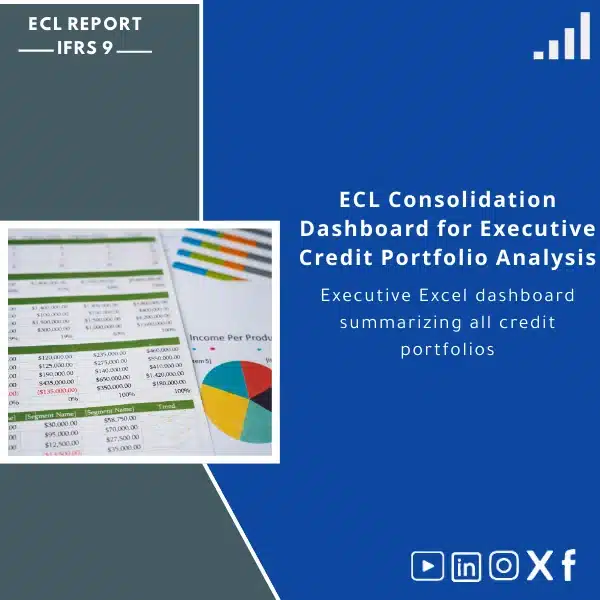
ECL Consolidation Dashboard for Executive Credit Portfolio Analysis
Original price was: 599. 499Current price is: 499.
An executive Excel dashboard that consolidates all credit portfolios into a single, IFRS 9‑compliant ECL portfolio dashboard — ready KPIs, roll‑forward tables, and disclosure-ready outputs for senior management and auditors.
Key benefits & value for the buyer
The ECL Consolidation Dashboard is designed to reduce the time between raw portfolio data and executive decision‑making. It converts granular exposures into consolidated, IFRS 9‑compliant disclosures and management KPIs so you can focus on strategy, not spreadsheet plumbing.
What this delivers to your finance and risk teams
- Faster month‑end close: Pre-built consolidation logic and reconciliations cut manual aggregation by 50–80% in typical implementations.
- Audit confidence: Every calculation is traceable to input tables; documentation and change logs reduce friction during external audit.
- Clear management insights: Executive dashboards highlight impairment drivers (PD/LGD shifts, migration effects, portfolio seasoning) in a single view.
- Scalable & modular: Add portfolios or scenarios without rebuilding sheets — suitable for growing credit businesses.
Use cases & real-life scenarios
Monthly ECL consolidation for board reporting
Use the dashboard to produce a concise executive pack: consolidated ECL, movement analysis, top five drivers, and comparison against budget/forecast scenarios — exportable to PDF for board packs.
M&A or portfolio onboarding
When acquiring a loan book, load source-level exposures into the dashboard to quickly assess incremental ECL impact, stage migrations and provisioning needs across merged portfolios.
Audit and regulatory submissions
Output the disclosure tables required for financial statements and provide auditors with the calculation chains and assumptions worksheet — reducing review cycles.
Who is this product for?
This ECL portfolio dashboard is built for financial institutions and corporates that apply IFRS 9 and require:
- Boards and CFOs needing one‑page portfolio summaries;
- Credit risk and finance teams responsible for ECL calculations and disclosures;
- Internal audit and external auditors who need traceable models;
- Consultants performing short-term implementations and portfolio diagnostics.
How to choose the right licence & modules
Not all organisations need the same level of functionality. Choose based on portfolio complexity and team size:
- Single‑User Licence: Best for small finance teams or pilot projects — includes core consolidation and KPIs.
- Team Licence: Recommended for medium banks — adds multi-user change logs, scenario manager and sample dataset.
- Enterprise Licence: For large institutions — includes custom mapping services, additional portfolio modules (leasing, off‑balance), and priority support.
If you are unsure, select the Team option and request a pre-purchase consultation to confirm scope.
Quick comparison with typical alternatives
Common approaches are: bespoke in-house models, generic BI dashboards, or full software implementations. The ECL Consolidation Dashboard sits between manual spreadsheets and heavy software:
- Vs manual spreadsheets: Much more structured, auditable and faster to use; reduces error risk.
- Vs generic BI tools: Pre-built IFRS 9 logic and disclosure tables — no need to reinvent staging and roll‑forwards.
- Vs full ERP/IFRS packages: Lower cost and faster deployment; ideal where a lightweight, Excel-based, audit‑ready solution is preferred.
Best practices & tips to get maximum value
- Prepare a standard data extract (loan ID, balance, PD, LGD, stage, origination date) — this minimises mapping time.
- Use the scenario manager for stress-testing; keep a master assumptions sheet for governance.
- Version-control copies before major changes and retain the audit log during month-end runs.
- Engage auditors with the documentation worksheet early to align expectations.
Common mistakes when buying or using similar products — and how to avoid them
- Buying without a data plan: Ensure source systems can export the minimum fields; otherwise mapping adds time and cost.
- Skipping validation: Run parallel reconciliations for two months to validate numbers before decommissioning legacy processes.
- Ignoring user access: Choose the licence that matches your team size and control needs to avoid governance gaps.
Product specifications
- Product type: Executive Excel template & dashboard (digital download)
- Format: .xlsm with macros signed for security — unlocked for configuration
- Compatibility: Microsoft Excel 2016 or later (Windows recommended for full macro support)
- Modules included: Consolidation engine, 3‑Stage classification tools, roll‑forwards, executive KPIs, disclosure tables
- Deliverables: Download file, user manual, setup checklist, sample data import template
- Support: 30 days email support; optional paid implementation & customization
- Licences: Single‑User, Team, Enterprise (select at checkout)
- Security note: No cloud storage included — data remains on your systems unless professional implementation is purchased
Frequently asked questions
Is the dashboard fully compliant with IFRS 9 disclosure requirements?
Yes. The dashboard includes disclosure tables and roll‑forward schedules aligned with IFRS 9 presentation requirements. It documents key assumptions (PD, LGD, forward‑looking adjustments) and provides traceable calculation chains for audit purposes. Final compliance depends on how your institution applies judgment and populates assumptions.
What Excel version do I need and does it work on Mac?
The template requires Microsoft Excel 2016 or later. Full macro functionality is supported on Windows. Basic viewing and some formulae may work on Mac, but for full automation and macros we recommend Windows Excel.
Can I customise the dashboard to match our chart of accounts or internal segments?
Yes. The workbook is configurable: mapping tables allow you to align source fields with internal segments. Enterprise licences include custom mapping support as a paid service if you prefer us to perform the mapping.
How long does implementation take?
Typical setup is 2–5 working days for a straightforward portfolio using the sample import templates. Complex portfolios or custom mapping can take longer; implementation services are available to accelerate deployment.
What support is included after purchase?
All purchases include a 30‑day email support window and a detailed user manual. Paid support packages add phone sessions, customisation and expedited responses for enterprise customers.
Ready to consolidate your ECL reporting?
Reduce close cycles, strengthen audit trails, and provide executives with a single source of truth for Expected Credit Loss. Choose the licence that suits your organisation and start generating disclosure‑ready reports today.
Need help selecting the right option? Contact our pre‑sales team for a short consultation or request a demo to see the dashboard with sample data.
Only logged in customers who have purchased this product may leave a review.
Related products

Credit Provisions Reference Guide: Key Differences Explained

ECL Model Documentation Template for Methodology and Data Sources

ECL Sensitivity Analyzer Tool for PD/LGD Impact Analysis
Excel-based ECL sensitivity analyzer that calculates how changes in Probability of Default (PD) and Loss Given Default (LGD) affect total Expected Credit Loss (ECL). Ready-made IFRS 9 credit risk template with scenario engine, disclosure tables and charts — designed for banks, lenders and finance companies that require fast, auditable sensitivity analysis.


Reviews
Clear filtersThere are no reviews yet.